


Blydo™ Easy Trading Keyboard
Blydo™ Easy Trading Keyboard


Currently 40 items are in stock!
Couldn't load pickup availability


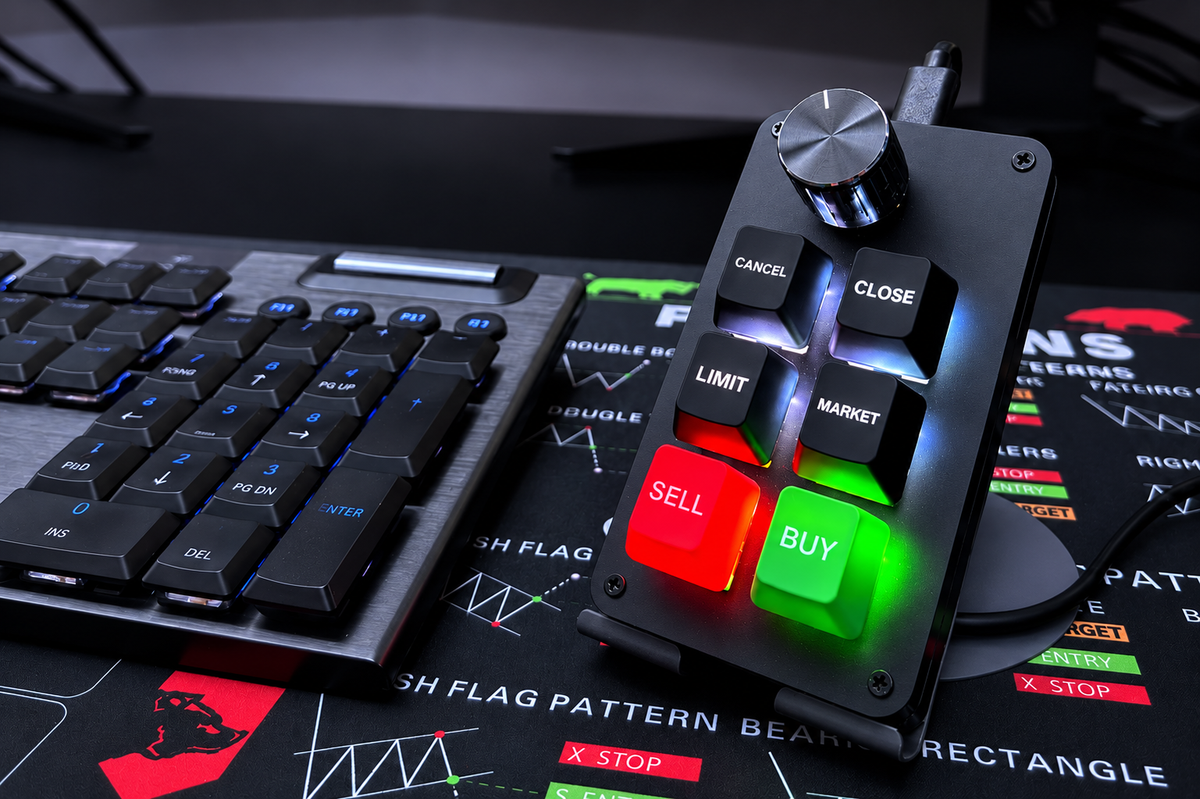

FOR DAY TRADERS & SCALPERS
Place Trades in 1 Press
Not Multiple Mouse Clicks
A compact mechanical trading keypad with dedicated BUY, SELL, CLOSE & CANCEL keys and a knob to zoom your charts.
USB-C Plug & Play and fully remappable for MT5, TradingView, NinjaTrader & More or get a 30 Day Money Back Guarantee.

Simple Steps
How to Set It Up?
 Step 01
Unbox it!
Open the box and take out your trading keypad, the USB-C cable and the setup guide.
 Step 02
Plug it in!
Connect the keypad to your PC or laptop with the cable. It works like a standard keyboard.
 Step 03
Match your hotkeys!
Default layout is ready for MT5. Using another platform? Remap any key in the TP Key Customization Tool.
 Step 04
Press to trade!
One press for BUY, SELL, CLOSE or CANCEL. Turn the knob to zoom your chart.
See It in Action
Tap a video · Tap the product to shop
Why You'll Love It
Everything To Love About
The Easy Trading Keyboard
Trigger trades with a single press instead of moving the mouse through menus and confirmation screens.
CLOSE and CANCEL are always one press away when the market starts moving quickly.
Physical keys replace multi-step mouse clicks, so there are fewer manual click errors in fast moments.
Rotate the knob to zoom your chart in and out, and press it to Enter.
Red SELL and green BUY keys with backlight accents are easy to find at a glance.
Trigger trades with a single press instead of moving the mouse through menus and confirmation screens.
CLOSE and CANCEL are always one press away when the market starts moving quickly.
Physical keys replace multi-step mouse clicks, so there are fewer manual click errors in fast moments.
Rotate the knob to zoom your chart in and out, and press it to Enter.
Red SELL and green BUY keys with backlight accents are easy to find at a glance.
Default MT5 layout, plus TradingView, NinjaTrader, Tradovate, Webull and any platform with custom shortcuts.
The TP Key Customization Tool is included, so you can match the keys to your own hotkey layout.
Using a platform other than MT5? Set the same shortcuts in your platform that you assigned to the keys.
Try the keypad on a demo account to build muscle memory before you use it on live trades.
The step-by-step setup guide in the box walks you through connecting and customizing the keypad.
Default MT5 layout, plus TradingView, NinjaTrader, Tradovate, Webull and any platform with custom shortcuts.
The TP Key Customization Tool is included, so you can match the keys to your own hotkey layout.
Using a platform other than MT5? Set the same shortcuts in your platform that you assigned to the keys.
Try the keypad on a demo account to build muscle memory before you use it on live trades.
The step-by-step setup guide in the box walks you through connecting and customizing the keypad.
Why Choose Blydo Over the Rest?
| Blydo | Others |
Risk-Free Guarantee |
|---|---|---|
Friendly Plush |
||
Stylish Design |
||
Premium Build Quality |
what our customers say about us
-
David.M Jun 2026Verified BuyerGame changer for my workflow!Setup took less than two minutes, and it instantly made my daily trading routine so much faster and smoother. Absolutely worth every penny!


-
Jessica T Aug 2026Verified BuyerSturdy, sleek, and reliable.You can feel the premium build quality right out of the box. It looks great on the desk and performs flawlessly every single time.


-
Deva.V Jan 2026Verified BuyerSo simple, yet incredibly powerfulI was worried it would have a steep learning curve, but it’s completely intuitive. Makes complex tasks feel effortless.

-
Vishal R Mar 2026Verified BuyerBest investment I’ve made this year.I hesitated because of the price, but it pays for itself in time saved alone. Wish I had bought it sooner!

-
Amit Singh Dec 2025Verified BuyerGreat idea, super easy to use! Definitely helps me in my trading!
-
Karthik R Nov 2025Verified BuyerWorth Every penny!It’s made my trading quicker on closing trades. Still haven’t configured buttons but sell and buy work great.
-
Jasmine R. June 2026Verified Buyerlooked better!At first I was skeptical, once I played with it I was hooked. It’s fast, you hit buy and you’re in. Hit sell, you’re out. No lag!!! It’s worth what I paid!!!


